Safeguarding AI Generated Code: CodeScene Rollout Steps that Work
Benefit from AI-acceleration without the risks by transforming AI tools like Github Copilot and Claude from a simple code generator into an engineering partner that understands and protects code quality with this 4-step guide.
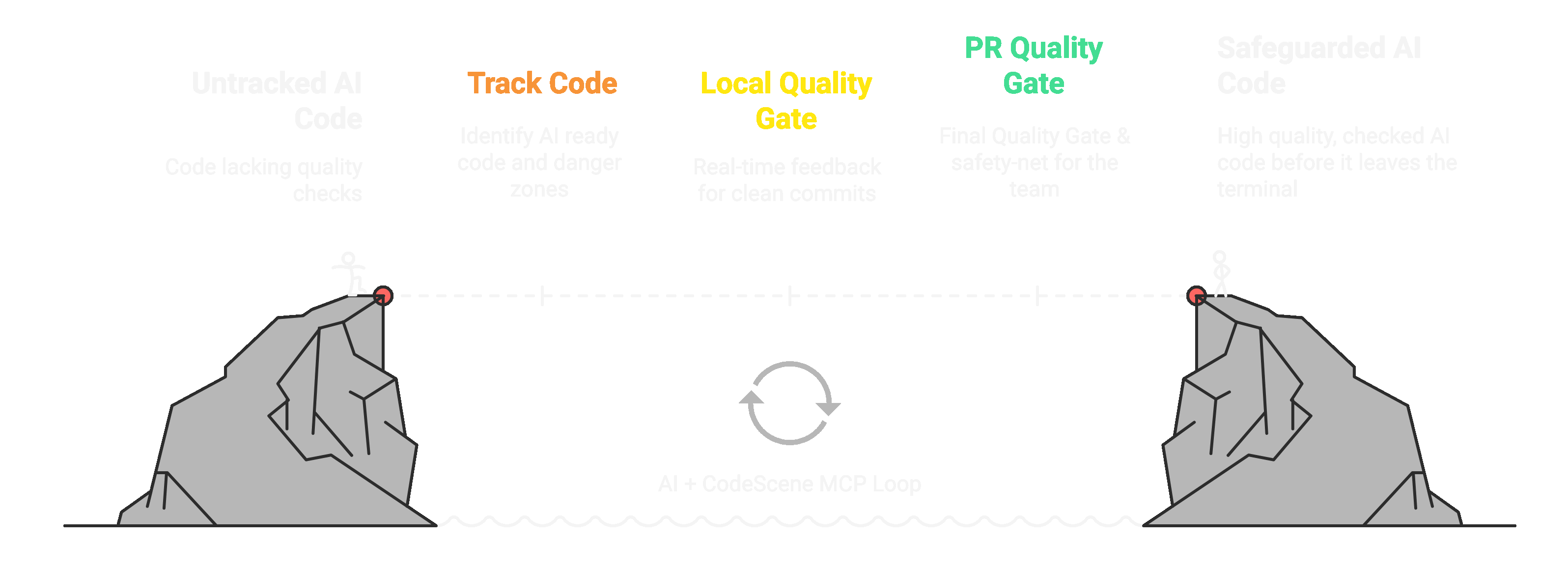
To keep AI generated code in check, using Code Health, a validated code quality model is key: without a connection to business benefits (faster, better), a “code quality” measure would just be a vanity metric, waiting to be sacrificed on the altar of deadlines.
This blog post highlights the importance of strengthening the Inner Developer Loop and turning AI into a Reliable Engineering Partner.
From Tech Debt to Triumph: How Refactoring Speeds Development by 43% provides a statistical model that translates Code Health scores into tangible business value - faster development and fewer defects.

1. Create Your CodeScene Project
Create your first CodeScene project
Run an initial analysis
Configure teams and mark ex-developers (instructions here)
Re-run the analysis for updated insights (instructions here)
Record the current Average Code Health and set a goal to keep it stable at a minimum or improve it over the next 3 months. E.g. Move from 5.6 to 6.6.
Success Insight: Share this blog post internally to communicate the benefits
2. Guardrail your (AI) Code Quality & Test Coverage
Guardrail Code Quality (In the terminal): Share this 3-Step Developer Onboarding guide with the team for installing the CodeScene MCP Server and CLI Tool.
Guardrail Code Quality (In PRs): Enable the Pull Request integration with the bare minimum profile as the final gate and safety-net for your team. (see setup instructions).
Guardrail Test Coverage: Strong automated tests offer much needed protection and no, the tests shouldn't be AI generated from the code (see Cloud setup instructions or On-Premise setup instructions)
3. Pull Risk Forward: Which code is “AI ready” and which isn’t?
Open your CodeScene project
Under Average Code Health click Explore codebase to view. Green files represent your risk-free, AI-friendly code
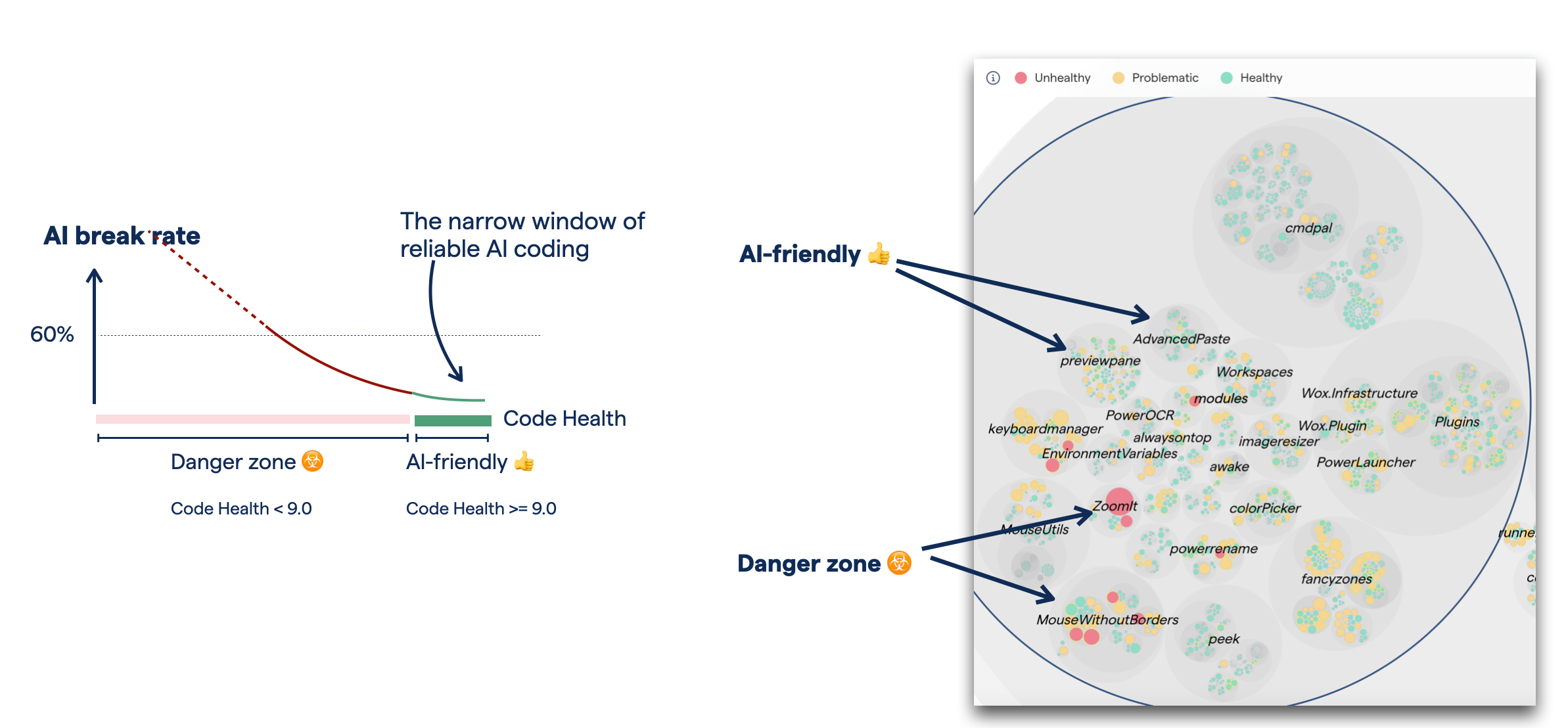
Success Insight: In order to quickly uplift code that isn’t AI ready, we recommend combining your AI tooling with CodeScene’s MCP Server and CLI Tool to perform the necessary refactorings safely and ensure the code is healthy before it leaves the terminal.
4. That’s it!
You are now primed to strengthen the Inner Developer Loop and Turn AI Into a Reliable Engineering Partner. Leveraging CodeScene’s MCP Server and CLI Tool transforms AI from a simple code generator into an engineering partner that understands and protects code quality every time.
Teams that follow this structured approach succeed with AI-assisted coding, keeping AI generated code in check and implementing a strong test suite to mitigate the pitfalls.
May the code be with you!