Quick Start Guide: Running CodeScene's MCP with Claude Code
With CodeScene’s MCP Server, your AI becomes more than just a code generator, it becomes a true engineering partner that understands and protects your project’s code quality. Follow these steps to set it up with Claude Code.
Installation
Step 1: Install the Latest Binary
Manual Download
Download the latest binary for your platform from the GitHub Releases page :
macOS:
cs-mcp-macos-aarch64(Apple Silicon) orcs-mcp-macos-amd64(Intel)Linux:
cs-mcp-linux-aarch64orcs-mcp-linux-amd64Windows:
cs-mcp-windows-amd64.exe
After downloading, make it executable and optionally add it to your PATH:
chmod +x cs-mcp mv cs-mcp /usr/local/bin/cs-mcpNo need to run it manually, VS Code will handle that for you.
Homebrew Installation
brew tap codescene-oss/codescene-mcp-server https://github.com/codescene-oss/codescene-mcp-server brew install cs-mcp After installation, the cs-mcp command will be available in your PATH.
📖 Full Homebrew installation & integration guide
Powershell Installation
irm https://raw.githubusercontent.com/codescene-oss/codescene-mcp-server/main/install.ps1 | iex This downloads the latest version to %LOCALAPPDATA%\Programs\cs-mcp and adds it to your PATH.
📖 Full Windows installation & integration guide
Step 2: Get your CodeScene Access Token
Get a
CS_ACCESS_TOKENfor the MCP Server which allows the server to access CodeScene’s code health analysis.For CodeScene Cloud, create the token here: https://codescene.io/users/me/pat
For CodeScene on-prem, the token is available at:
https://<your-cs-host>:<port>/configuration/user/token
Copy the
AGENTS.mdfile to your repository. This file guides AI agents on how to use the MCP, including rules that safeguard AI coding.AGENTS.md
7.5 KB
ℹ️ If you use Amazon Q, copy the .amazonq/rules directory instead.
Step 3: Configure your CodeScene Access Token with Claude Code
Native binary:
export CS_ACCESS_TOKEN="<your token here>" claude mcp add codescene --env CS_ACCESS_TOKEN=$CS_ACCESS_TOKEN -- cs-mcp CodeScene On-prem:
export CS_ACCESS_TOKEN="<your token here>" export CS_ONPREM_URL="<your onprem url>" claude mcp add codescene --env CS_ACCESS_TOKEN=$CS_ACCESS_TOKEN --env CS_ONPREM_URL=$CS_ONPREM_URL -- cs-mcp Step 4: See your Engineering Partner in Action
Simply choose a file and instruct Co-Pilot to run a code health score to see it in action for the first time.
You can also ask your AI tooling to make a business case for refactoring for management to understand the business impact of improving the code health of the file:
If you are ready to make an impact, ask your AI tooling to get your chosen file to a perfect code health score of 10 (the example below is from VS Code):
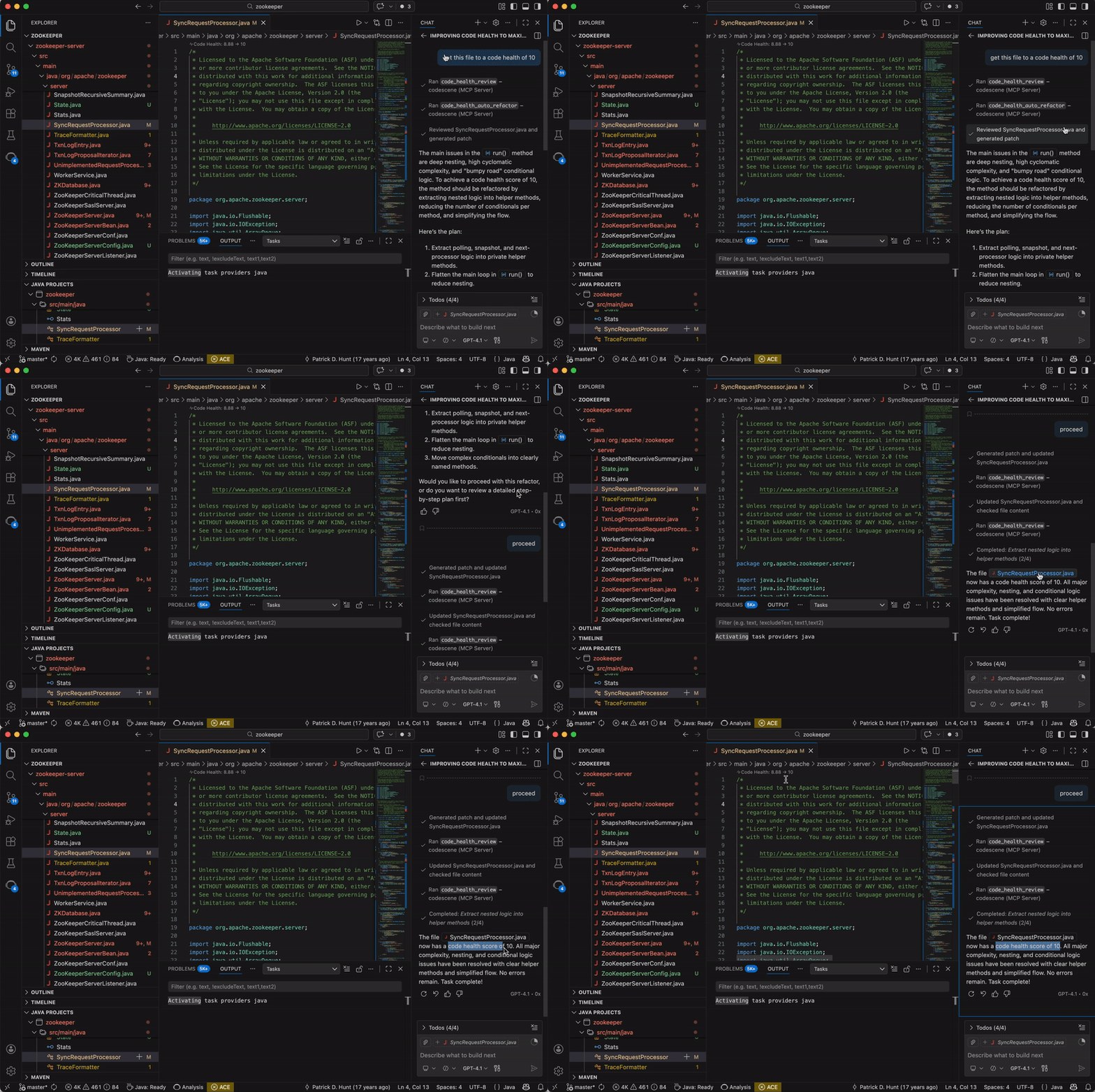
Important note: The MCP provides the code health context while the AI tool itself does the actual refactoring. Please keep this in mind when reviewing the output.
✅ Success Insight: Great work! Your AI assistant now has full access to CodeScene’s code health metrics, enabling it to understand your project’s quality and safeguard AI-generated code. Explore all supported use cases in the CodeScene MCP documentation.