Integrating CodeScene with GitHub Pull Requests
CodeScene can be integrated directly into your GitHub workflow to provide automated code reviews and quality gates on Pull Requests. This allows your team to catch potential issues early and ensure code quality before merging.
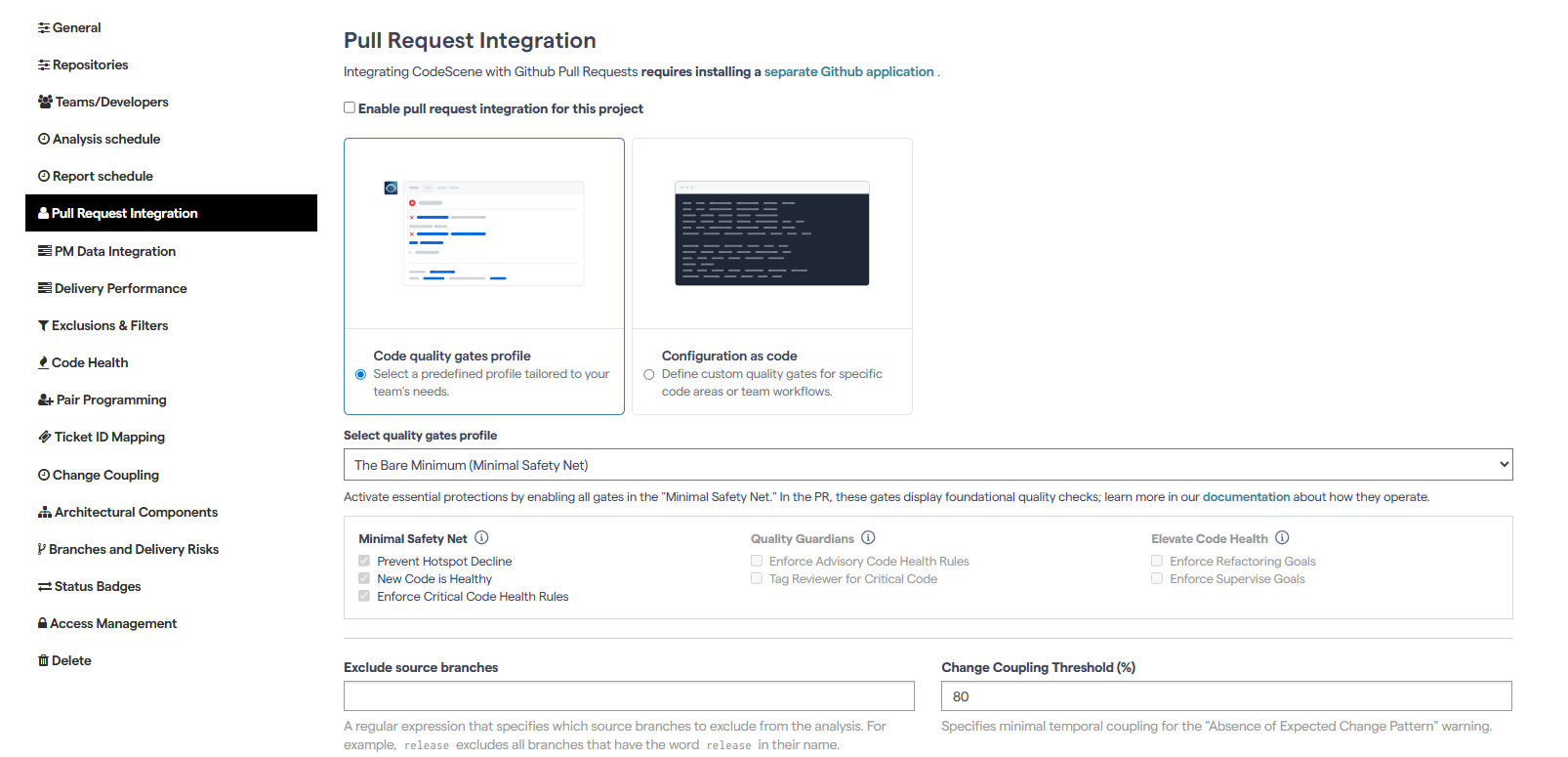
Step 1: Open Pull Request Integration Settings
Navigate to your project configuration in CodeScene.
Go to the Pull Request Integration tab.
Step 2: Install the GitHub Application
To enable PR integration, you’ll need to install the dedicated CodeScene GitHub App.
This ensures that CodeScene can access and analyze your pull requests.
Step 3: Enable PR Integration
Check the box: Enable pull request integration for this project.
Select the desired Quality Gates profile to define which checks CodeScene should enforce.
You can customize these settings at the project level to better align with your project’s specific needs.
You can also use the default global quality gates configuration. So, at the global level, the quality gates define the default standards for all projects.
Click Update to save your changes.
Step 4: Configure Commenting Options
By default, the option Always comment on all Pull Requests is not selected.
The Post individual findings as option controls how CodeScene reports results. By default, this is set to Create a review in the Pull Request.
You can explore other settings to customize how CodeScene interacts with your pull requests.
Step 5: Test the Integration
Create a new Pull Request in GitHub.
CodeScene will analyze the changes and provide comments or a review directly in the PR.
✅ With this setup, CodeScene becomes part of your development workflow, helping your team maintain and improve code quality at every step.