How to Delete a Project?
To delete the project, please follow the steps below:
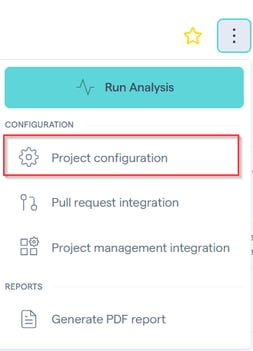
Go to the Project Configuration of the project you would like to delete:
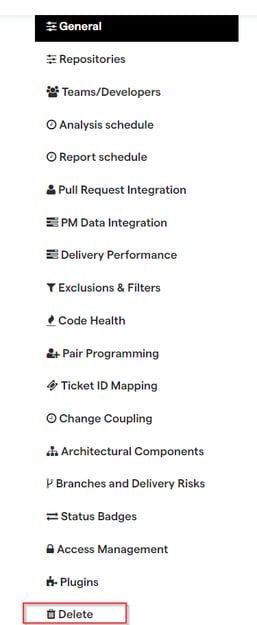
a) Cloud: At the bottom left, click on the 'Delete':
It is important to highlight that the collaborators (admin or not) do not have permission to delete projects. Only the individual account owner can perform this operation.
NOTE: During the trial period, the users are always going to see the MongoDB demo project, which can't be deleted until they subscribe.
b) On-prem: Click on the ‘Delete’ under the project menu tab options:

Was this helpful?
Still need help? Ask the team