How Is Offline Mode Used in CodeScene?
Offline mode in CodeScene is used when you don't have an Internet connection, and also when the user is unable to provide a proper proxy configuration and doesn't want to let CodeScene reach the Internet.
Offline mode can be activated in two ways:
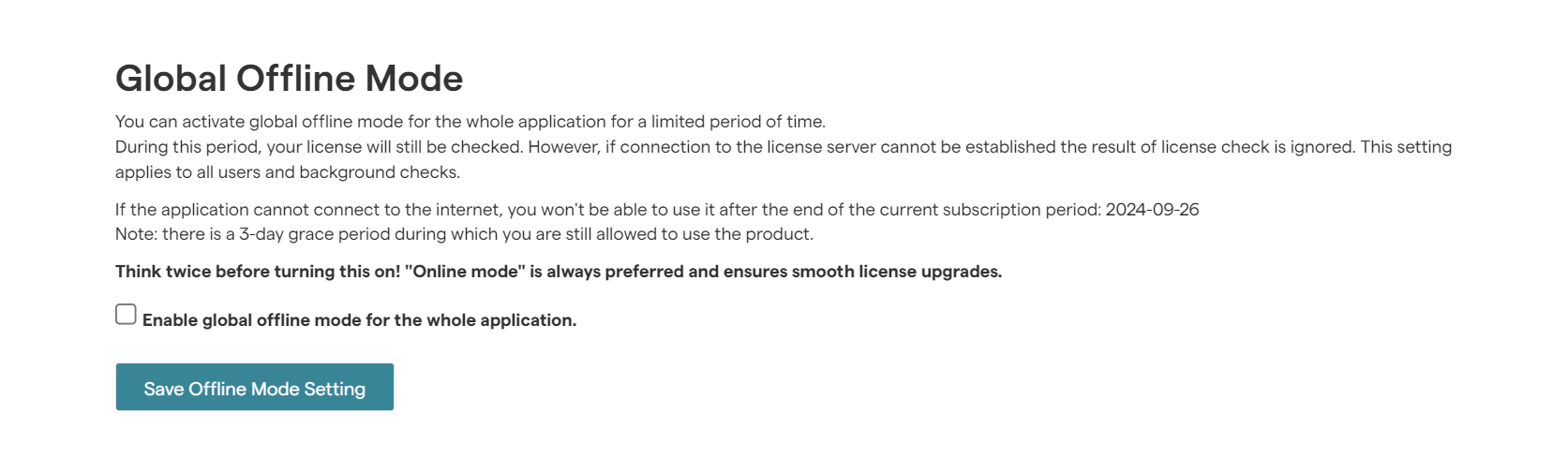
by administrators, by turning on offline mode globally. Follow these steps:
Click on Configuration
Click on License
Scroll down to the Global Offline Mode
Check the box 'Enable global offline mode for the whole application'
by the user, in a scenario where the user is unable to activate their license or verify their login, it will show an error message with a checkbox for activating an offline mode.
Offline mode is limited to the period of the current subscription term. When your license expires, CodeScene needs Internet access to verify your license.