How to Re-authorize the CodeScene Repositories Application?
In certain situations, you may need to reauthorize CodeScene’s access to your repositories.
This process has two parts:
Revoke the current grant in your Git provider’s settings.
Reauthorize CodeScene by logging out and back in and attempting to add a project.
Important: The guide below is split into two parts: provider-specific instructions first, and then the steps that everyone needs to follow.
1. Revoke the current grant
Follow the path for your Git provider:
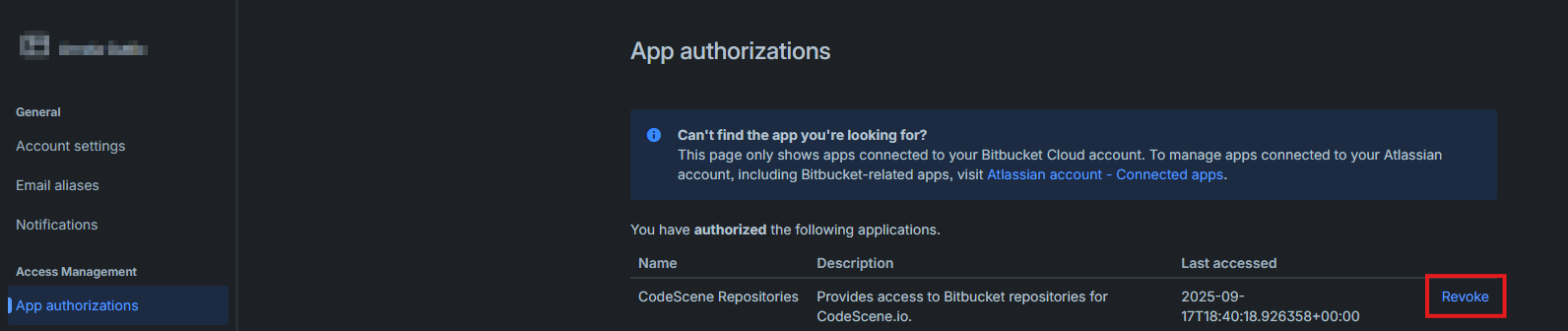
Bitbucket
Settings → Personal Bitbucket Settings → App Authorizations
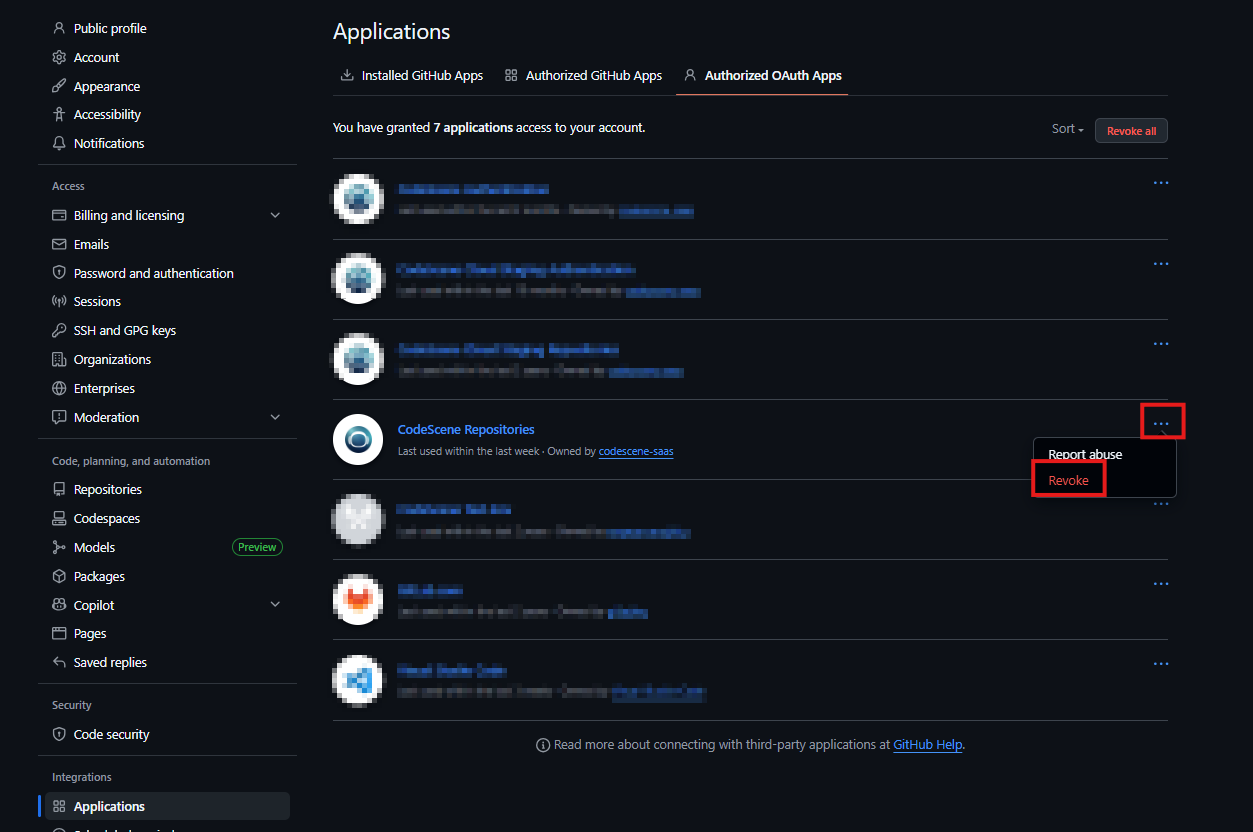
GitHub
Profile icon → Settings → Applications → Authorized OAuth Apps
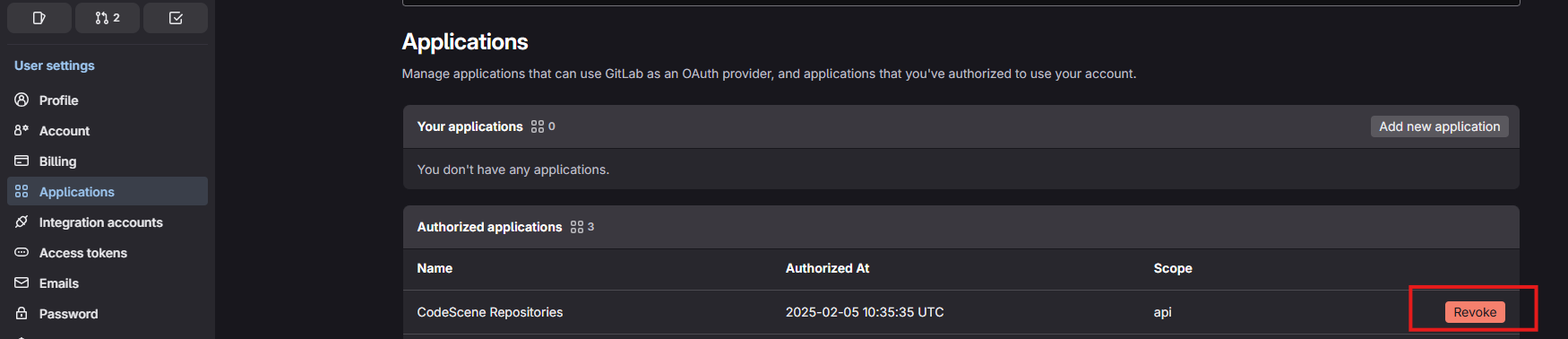
GitLab
Profile icon → Edit profile → Applications → Authorized applications
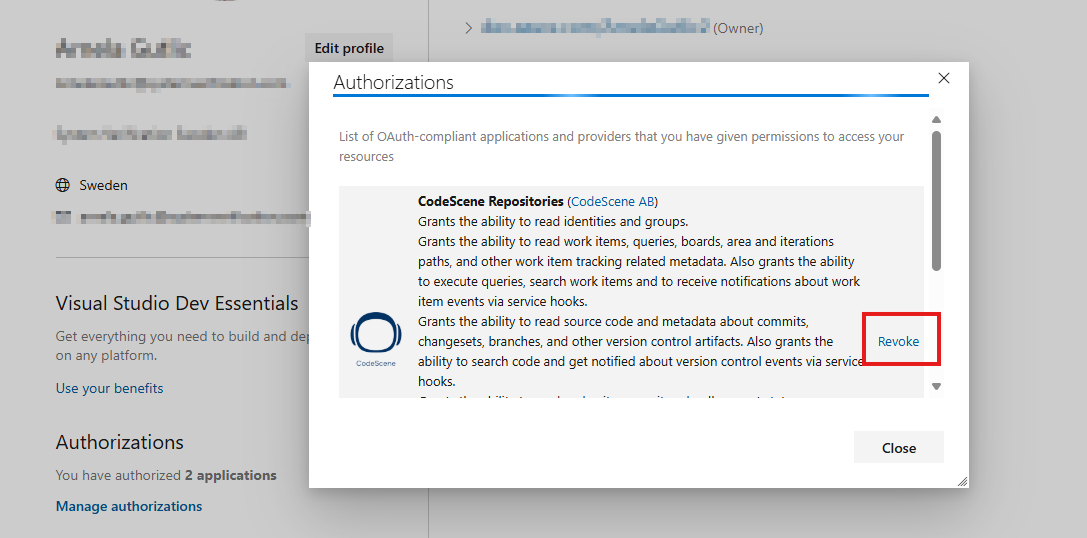
Azure DevOps
Go to https://aex.dev.azure.com/me → Manage authorizations → Authorizations
2. Reauthorize CodeScene (for all providers)
After revoking the old grant:
Log out of CodeScene
Log in again
Click Add new project
When prompted, click Grant access to your repositories