How do I trigger an analysis on demand?
A CodeScene Analysis typically runs automatically every weekly. If you want the very latest data, you need to trigger an analysis run manually. To do this in the UI:
Locate your project in the project view
Click the 3 dots
Select “Run Analysis”.
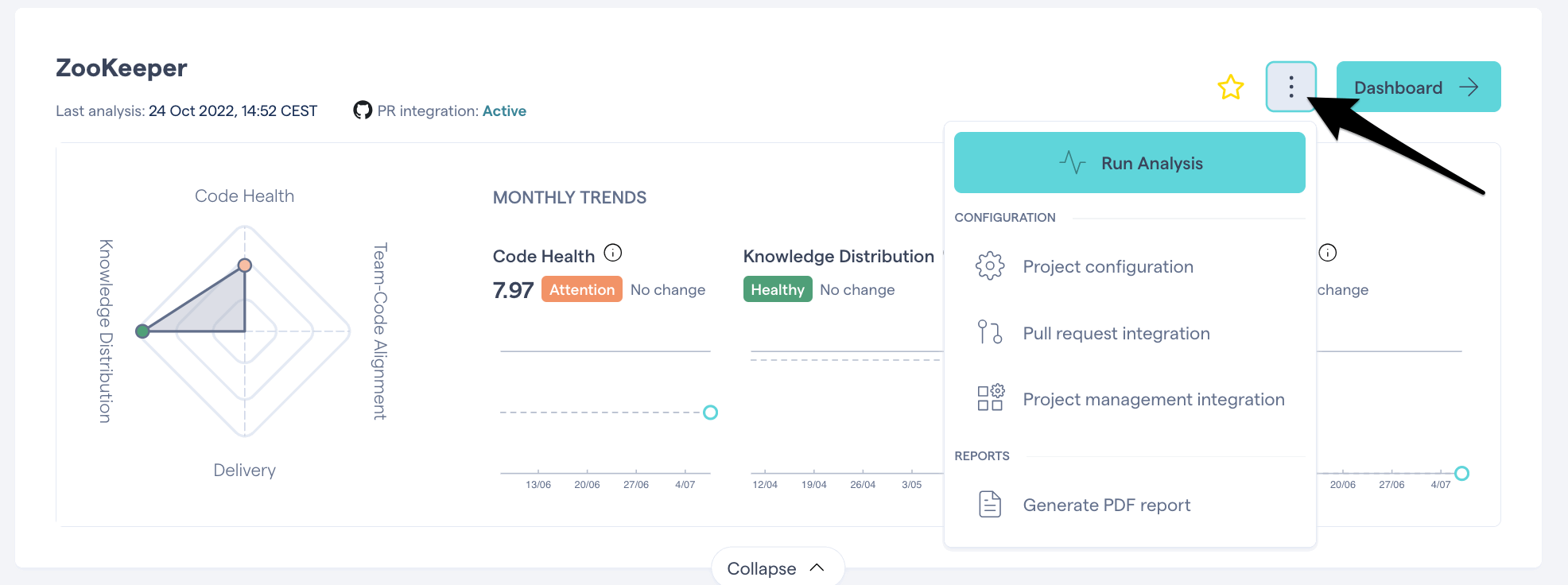
If you do not have permission to run an analysis, please speak to your CodeScene admin.
If the solution above didn't help, please consider posting in the CodeScene Community. If you are having issues during your trial, please contact sales@codescene.com.
Please note that we offer premium human support, so if you would like to explore this, speak to our Sales team.